
Description
The PowerShell script (below) makes a call to the stored procedure, whose fully-qualified name is passed as a parameter. This particular script is written so that the stored procedure expects only one parameter named "@DatabaseName". Please note that pre and post-scripts can only be executed on VDBs on the VDB target host. If "@DatabaseName" is not unique enough, then the script can be modified to add "@InstanceName" as well.
The script logs debugging information to a log file created within the "Desktop" directory of the Delphix "environment user" Windows account. This log file is directed to "C:\TEMP" in this example, but of course, can be modified as suitable in your environment.
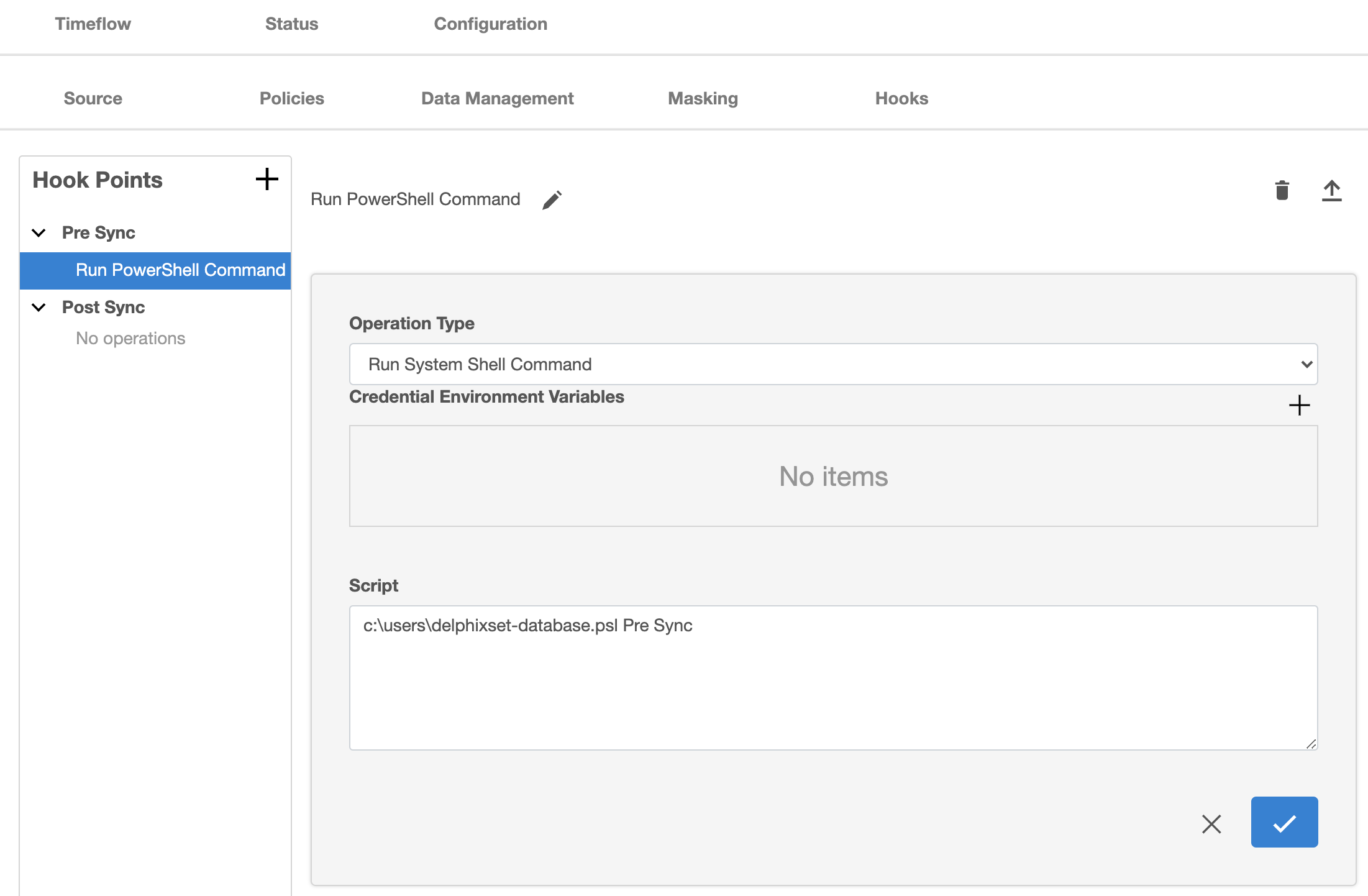
Source code for script
Downloadable copy callsp.ps1
#================================================================================
# File:        callsp.ps1
# Type:        powershell script
# Author:    Delphix Professional Services
# Date:        02-Nov 2015
#
# Copyright and license:
#
#       Licensed under the Apache License, Version 2.0 (the "License"); you may
#       not use this file except in compliance with the License.
#
#       You may obtain a copy of the License at
#
#               http://www.apache.org/licenses/LICENSE-2.0
#
#       Unless required by applicable law or agreed to in writing, software
#       distributed under the License is distributed on an "AS IS" basis,
#       WITHOUT WARRANTIES OR CONDITIONS OF ANY KIND, either express or implied.
#
#       See the License for the specific language governing permissions and
#       limitations under the License.
#
#       Copyright (c) 2015 by Delphix.  All rights reserved.
#
# Description:
#
#    Call the appropriate stored procedure within the DBO schema in the MSDB
#    databse on behalf of the VDB.  The stored procedure name the name of the
#    database as a parameter called "@DatabaseName"..
#
# Command-line parameters:
#
#    $fqSpName        fully-qualified stored procedure name
#
# Environment inputs expected:
#
#    VDB_DATABASE_NAME    SQL Server database name for the VDB
#    VDB_INSTANCE_NAME    SQL Server instance name for the VDB
#    VDB_INSTANCE_PORT    SQL Server instance port number for the VDB
#    VDB_INSTANCE_HOST    SQL Server instance hostname for the VDB
#
# Note:
#
# Modifications:
#    TGorman    02nov15    first version
#================================================================================
param([string]$fqSpName = "~~~")
#
#--------------------------------------------------------------------------------
# Verify the "$dirPath" and "$fqSpName" command-line parameter values...
#--------------------------------------------------------------------------------
if ( $fqSpName -eq "~~~" ) {
    throw "Command-line parameter 'fqSpName' not found"
}
#
#--------------------------------------------------------------------------------
# Clean up a log file to capture future output from this script...
#--------------------------------------------------------------------------------
$dirPath = [Environment]::GetFolderPath("Desktop")
$timeStamp = Get-Date -UFormat "%Y%m%d_%H%M%S"
$logFile = $dirPath + "\" + $env:VDB_DATABASE_NAME + "_" + $timeStamp + "_SP.LOG"
"logFile is " + $logFile

#
#--------------------------------------------------------------------------------
# Output the variable names and values to the log file...
#--------------------------------------------------------------------------------
"INFO: dirPath = '" + $dirPath + "'" | Out-File $logFile
"INFO: fqSpName = '" + $fqSpName + "'" | Out-File $logFile -Append
"INFO: env:VDB_INSTANCE_HOST = '" + $env:VDB_INSTANCE_HOST + "'" | Out-File $logFile -Append
"INFO: env:VDB_INSTANCE_NAME = '" + $env:VDB_INSTANCE_NAME + "'" | Out-File $logFile -Append
"INFO: env:VDB_INSTANCE_PORT = '" + $env:VDB_INSTANCE_PORT + "'" | Out-File $logFile -Append
"INFO: env:VDB_DATABASE_NAME = '" + $env:VDB_DATABASE_NAME + "'" | Out-File $logFile -Append
#
#--------------------------------------------------------------------------------
# Housekeeping: remove any existing log files older than 15 days...
#--------------------------------------------------------------------------------
"INFO: removing log files older than 15 days..." | Out-File $logFile -Append
$ageLimit = (Get-Date).AddDays(-15)
$logFilePattern = $env:VDB_DATABASE_NAME + "_*_SP.LOG"
"INFO: logFilePattern = '" + $logFilePattern + "'" | Out-File $logFile -Append
Get-ChildItem -Path $dirPath -recurse -include $logFilePattern |
    Where-Object { !$_.PSIsContainer -and $_.CreationTime -lt $ageLimit } |
    Remove-Item
#
#------------------------------------------------------------------------
# Run the stored procedure...
#------------------------------------------------------------------------
"INFO: Running stored procedure '" + $fqSpName + "' within database '" +
    $env:VDB_DATABASE_NAME + "'..." | Out-File $logFile -Append
try {
    "INFO: open SQL Server connection..." | Out-File $logFile -Append
    $sqlServer = $env:VDB_INSTANCE_HOST + "\" + $env:VDB_INSTANCE_NAME + ", " + $env:VDB_INSTANCE_PORT
    "INFO: sqlServer = '" + $sqlServer + "'" | Out-File $logFile -Append
    [System.Reflection.Assembly]::LoadWithPartialName("Microsoft.SqlServer.Smo") | Out-Null;
    $conn = New-Object System.Data.SqlClient.SqlConnection
    $conn.ConnectionString = "Server=$sqlServer; Database=MSDB; Integrated Security=SSPI;"
    "INFO: conn.ConnectionString = '" + $conn.ConnectionString + "'" | Out-File $logFile -Append
    $conn.Open()
    $cmd1 = New-Object System.Data.SqlClient.SqlCommand($fqSpName, $conn)
    $cmd1.CommandType = [System.Data.CommandType]::StoredProcedure
    $cmd1.Parameters.Add('@DatabaseName', $env:VDB_DATABASE_NAME) | Out-null
    "INFO: calling " + $fqSpName + ", @DatabaseName = " + $env:VDB_DATABASE_NAME | Out-File $logFile -Append
    $exec1 = $cmd1.ExecuteReader()
    $exec1.Close()
    $conn.Close()
} catch { Throw $Error[0].Exception.Message | Out-File $logFile -Append }
#
"INFO: completed stored procedure '" + $fqSpName + "' within database '" +
    $env:VDB_DATABASE_NAME + "' successfully" | Out-File $logFile -Append
#
#------------------------------------------------------------------------
# Exit with success status...
#------------------------------------------------------------------------
exit 0