
This topic describes how to configure a static IP address on a second network interface.
Procedure
Perform the following steps to configure a second network interface.
-
Launch the Delphix Engine Setup interface using the sysadmin credentials.
-
Navigate to the Network widget and click Modify to view the available network interfaces, and select the new interface to be configured.
-
Click the Settings button next to the network interface that you want to configure.
-
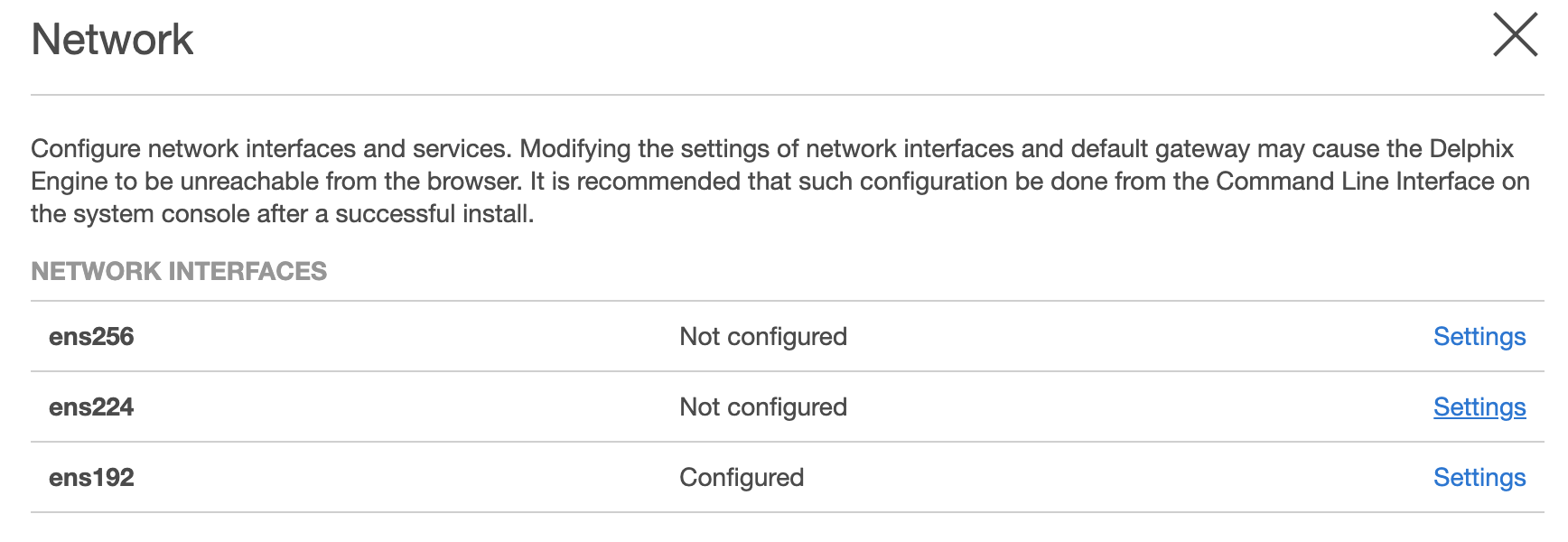
The Network Interface Settings screen appears. Select the checkbox before Enabled to enable the network.
-
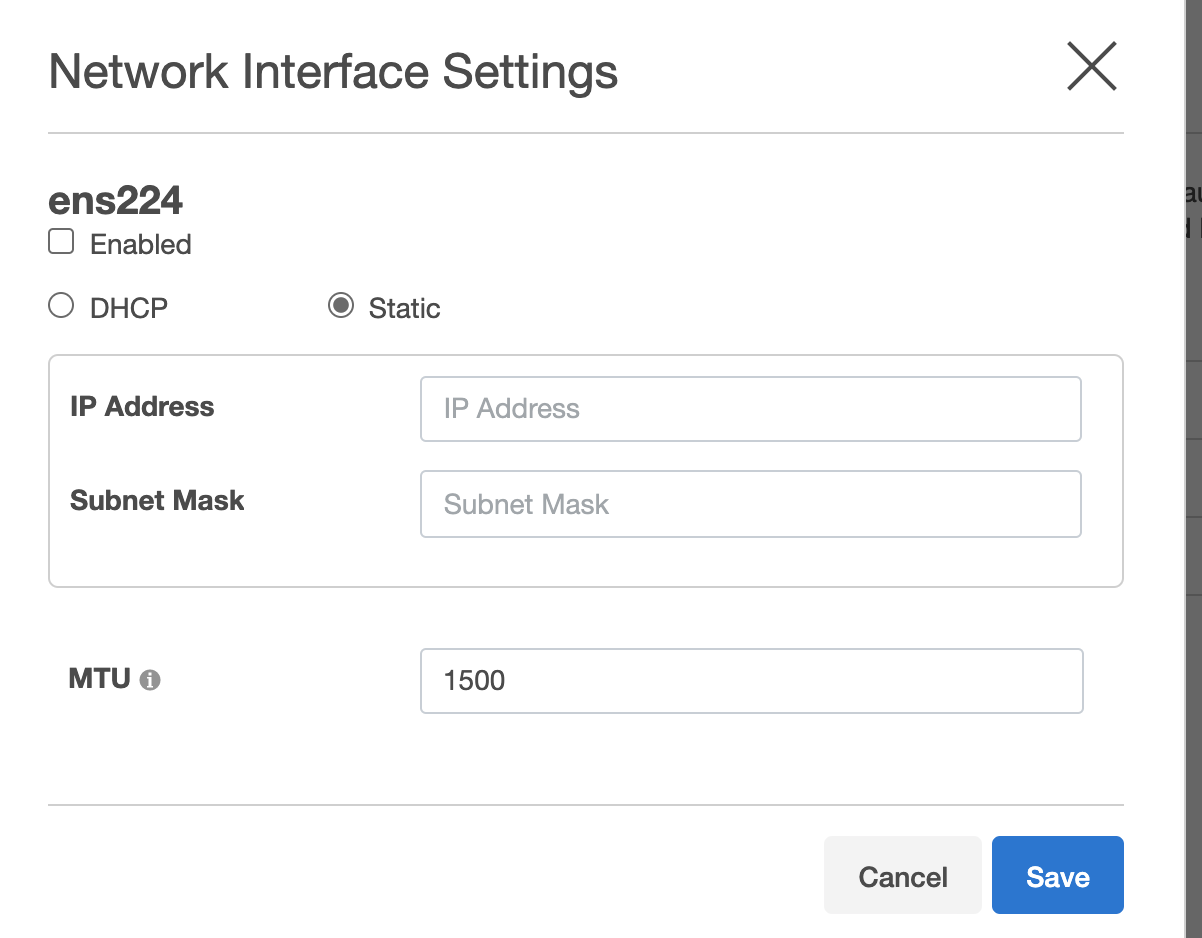
Select one of the following: DHCP or Static andenter the IP address and Subnet Mask address in the respective fields.
-
MTU: Enter a value for the MTU field. This is the maximum size in bytes of a packet that can be transmitted on this interface.
-
Click Save to save the settings.