
Prerequisites
-
Make sure your source database meets the requirements described in the Requirements for Oracle Hosts and Databases page.
-
Before adding a database, the installation home of the database must exist in the environment. If the installation home does not exist in the environment, follow the steps in Adding a Database Installation Home to an Oracle Environment page.
Procedure
-
Login to the Delphix management application.
-
Click Manage.
-
Select Environments.
-
Select an Environment.
-
Click the Databases tab.
-
Choose the installation home where the database is installed.
-
Click the Plus icon.
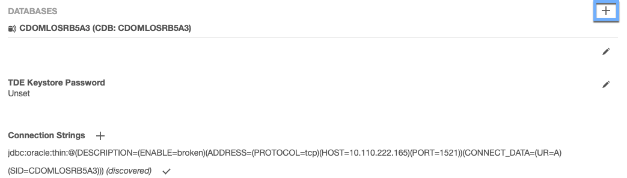
-
In the Add Database dialog box, enter the Database Unique Name, Database Name and Instance Name.
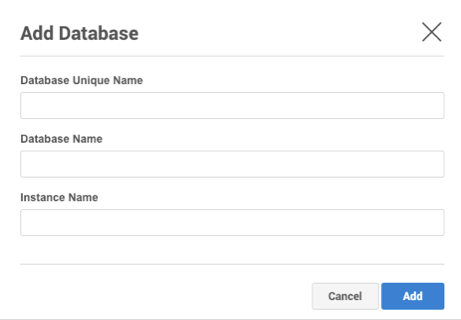
-
When finished, click Add.