
The Db2 plugin is provided as a zip file on the Delphix download site. Follow the steps below to download the plugin.
-
In the web browser, go to the Delphix download site.
-
Login to the download site using email and password credentials.
-
Navigate to the required version number of Delphix Engine.
-
Go to the Plugins > Db2 > Plugin_<version_number>.zip folder and download the zip file.
For initial installation and upgrading to a higher version refer to the section Delphix Engine Plugin Management for further details. For upgrading the Lua-based plugin to the vSDK plugin, refer to the following section.
Upgrading the Lua-based plugin to the vSDK-based plugin
The steps to upgrade from the Lua-based plugin to the new vSDK-based plugin are described below.
Procedure
-
Login to the Delphix Management application.
-
Click Manage.
-
Select Datasets.
-
You need to disable all the datasets in the Lua environment before upgrading. Click the dSource you want to disable.
-
From the Actions menu (...) select Disable.
-
Repeat the above step to disable all the VDB datasets.
-
Select Manage > Plugins.
-
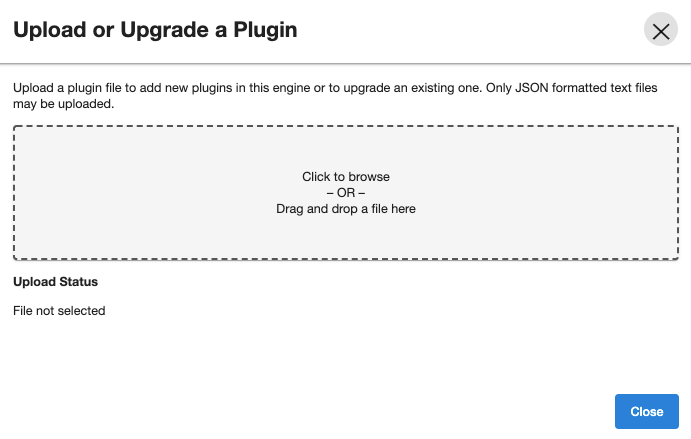
To upload a vSDK Plugin, click the

icon. This opens the Upload or Upgrade a Plugin dialog. Upload the <file_name>.json vSDK plugin.
-
To start using the plugin, refresh target and source environments to re-discover repositories.
You will notice the changes in the toolkit directory structure as compared to the Lua plugin environment.This plugin upgrade operation will read the advanceConfFlag.conf and plugin-logging.properties files present in the Lua plugin environment and combines them to create db2_plugin.conf. This operation also creates the plugin_3.x_archives directory and moves all the Lua-specific files such as the logs directory, the code directory, and the configuration files (advanceConfFlag.conf and plugin-logging.properties) into this directory. The plugin archive directory is for reference purposes only. You can delete the same if not required.
-
Click Manage.
-
Select Datasets.
-
From the Actions menu (...) select Enable. This will enable the existing datasets under the new vSDK environment.
-
The upgrade is now complete. You can now check the logs for upgrade-related information.