
Environment authentication using a key pair
Perform the following steps to use a generated key pair when adding a new environment to the Delphix Continuous Data Engine:
-
When following the Add Environment wizard and on the Environment Settings page, select Public Key for the Login Type.
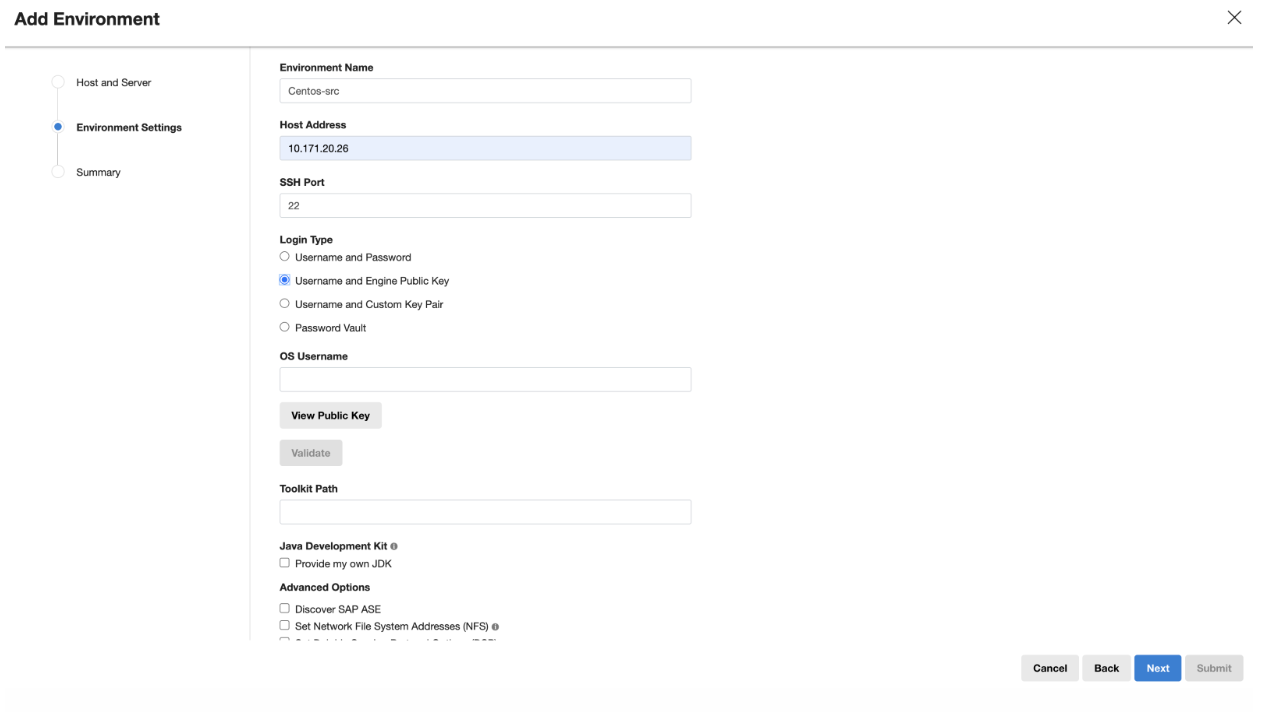
-
Click View Public Key.
-
Copy the public key that is displayed and append it to the end of your
~/.ssh/authorized_keysfile. If this file does not exist, you must create it.-
Run
chmod 600 ~/.ssh/authorized_keysto allow only the file's owner to read and write to it (make sure the file is owned by you). -
Run
chmod 755 ~to restrict access to your home directory so that no other may write to it. -
Run
chmod 700 ~/.sshso that others cannot write to it. The~/.sshis not writable by group or others. Otherwise, authentication will fail.
-